Posts

Showing posts with the label bugs

Workaround: Azure data factory GUI (v1 and v2) does not load

Image
When loading azure data factory, either via "Load Data" from your DW database, or via "Monitor and Manage" links. It never loads or show an empty page. In Edge it Loads forever, Showing splash screen In Chrome, it just shows an empty page (accesstoken.htm) The solution is that Microsoft requires third party cookies to be enabled in your client browser. This is bad, but as a workaround for Chrome: go to chrome://settings/content/cookies And add the follwoing domains to Allow section azure.com microsoftonline.com login.microsoftonline.com azureedge.net
Pass multiple parameters to sqlcmd from powershell

Due to some nasty bugs in invoke-sqlcmd wrapper in powershell we must use the following workaround to be able to pass multiple parameters/variables to sqlcmd.exe from powershell $parameterizedCmd = 'sqlcmd -b -E -I -S . -d master -i "script.sql"' + ' -v Parameter1="' +$PsParameter1+ '"' + ' -v Parameter2="' +$PsParameter2+ '"' write-verbose $parameterizedCmd # invoke-expression and invoke-sqlcmd are insanely bugged # workaround by executing via cmd /c instead & cmd /c $parameterizedCmd

CallBimlScript with parameters give error "Template host did not supply the required property"

When trying to use parameterized biml file using CallBimlScript like this <#=CallBimlScript("VariableTest.biml", "variableValue") #> And VariableTest.Biml looks like this <#@ property name="variableValue" type="String" required="true" #> <#= variableValue #> Biml generation will fail with the following error Expanding BIML Error 0 Template host did not supply the required property: variableValue . C:\path\VariableTest.biml 0 0 Parse. There were errors during compilation. See compiler output for more information. The error is because of bugs inside biml engine. To work around this problem, Set required="false" like so <#@ property name="variableValue" type="String" required="false" #> <#= variableValue #> The parameter passing will now work. If you need parameter validation, you have to implement it yourself.

Where did my measure go?

Image
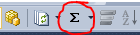
In SSAS Tabular 2012, I created a measure from the aggregation button (sum) for a column, say Sales, and then the measure doesn't show up in the measuregrid. I can see the measure with the name Sum of Sales in the properties window. When I select it from here an empty cell is automatically selected. But I cannot see the formula nor delete the measure. If i browse the source code of the bim-file i see the measure here too. When I try creating a measure manually with the same name I get the error "An item with the same key has already been added" The reason was that I had a perspective selected that was not including the entire table I was working with. When using the quick-button (sum) for creating a measure, the measure isn't added to the perspective and therefore hidden. One may think that creating measures when using a perspective, they should be added to that perspective. And it actually does when writing the measure formula manually. It's just the...